Apple Macintosh Classic II
Specificaton, History, Software & Emulation
What is the Apple Macintosh Classic II?

The Apple Macintosh Classic II, released in 1991, was one of Apple’s most affordable and compact Macintosh computers of the early 1990s.
Designed as an entry-level machine for homes, schools, and small offices, it continued the all-in-one Macintosh tradition with a built-in monochrome display and a simple, friendly user experience.
For many users, the Classic II was their first introduction to the graphical user interface (GUI), mouse-driven computing, and desktop publishing.
Apple Macintosh Classic II specifications
- Release year: 1991
- CPU: Motorola 68030 at 16 MHz
- RAM: 2 MB standard (expandable to 10 MB)
- Display: 9-inch monochrome, 512×342 resolution
- Operating system: System 6 or System 7
- Ports:
- ADB (keyboard and mouse)
- Serial ports (printer/modem)
- External SCSI
- Storage:
- 40 MB or 80 MB internal hard drive (optional)
- 1.44 MB floppy disk drive

What made the Classic II special
Affordable entry into the Macintosh world
The Classic II was designed as a low-cost Macintosh, making it accessible to:
- Students
- Home users
- Small businesses
- Schools and universities
It offered the core Macintosh experience at a much lower price than high-end models.
Faster than the original Classic
Compared to the earlier Macintosh Classic (1990), the Classic II featured:
- A Motorola 68030 processor
- Improved performance
- Better support for System 7 software
This made it suitable for more advanced applications.

The all-in-one Macintosh design
Like earlier compact Macs, the Classic II integrated:
- Computer
- Monitor
- Disk drive
- Speaker
…into a single beige case.
Benefits included:
- Minimal desk space
- Easy setup
- Quiet operation
- Reliable hardware
This design became one of Apple’s most recognisable computer styles.
Typical uses in the early 1990s
The Classic II was widely used for:
- Word processing
- Desktop publishing
- School projects
- Educational software
- Small business tasks
- Early multimedia titles
It was particularly popular in schools and universities, where it served as a reliable and affordable Mac.


Popular software on the Classic II

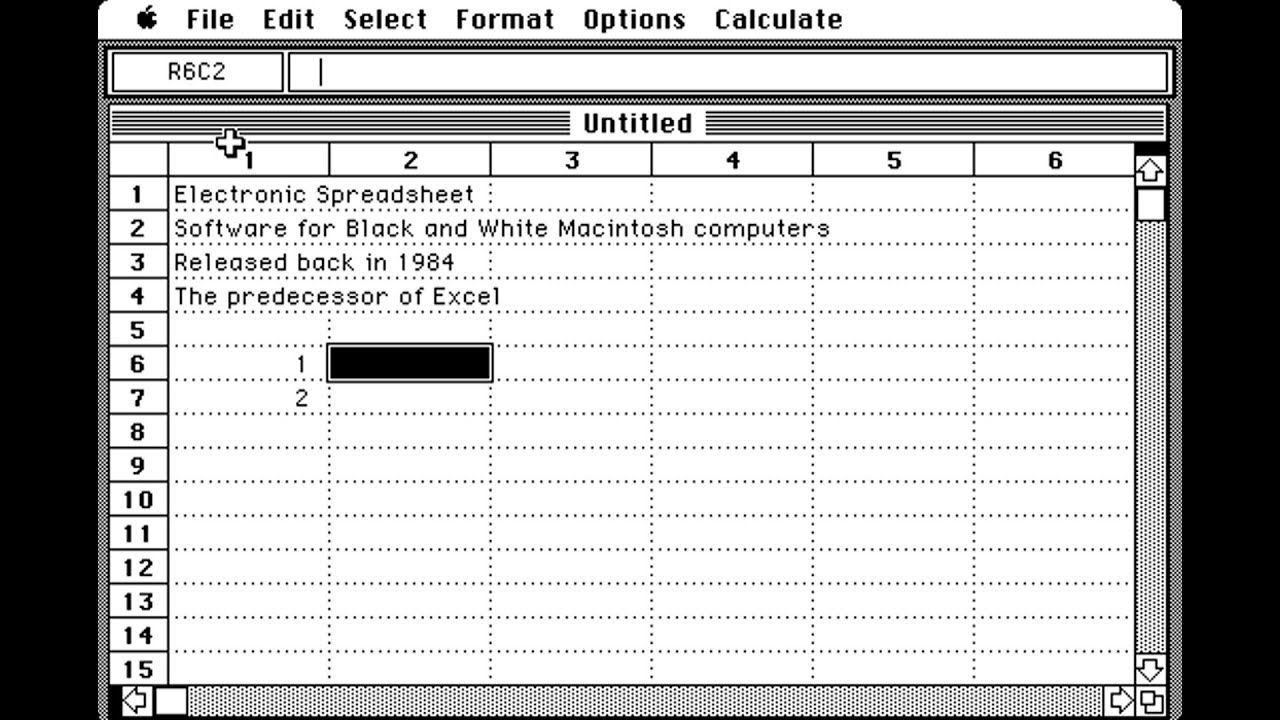
Common applications included:
- MacWrite – word processing
- ClarisWorks – integrated office suite
- HyperCard – interactive software creation
- Microsoft Word (Mac)
- MacPaint – graphics creation
It could also run a wide range of educational titles and early Mac games.
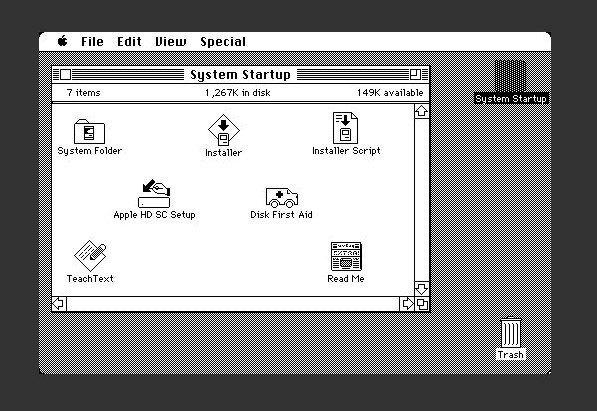
System 6 vs System 7
The Classic II could run two major Macintosh operating systems.
System 6
- Fast and lightweight
- Ideal for lower memory configurations
- Very stable
System 7
- More modern interface
- Multitasking support
- Better networking and file management
Many users upgraded to System 7 once they expanded the RAM.
Expansion and upgrades
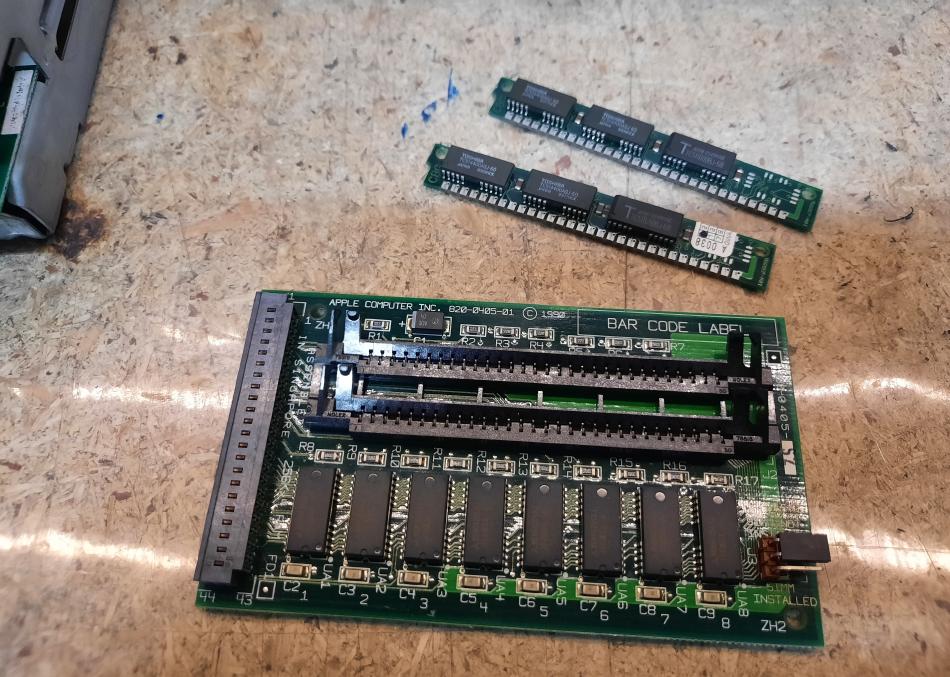
Despite its compact size, the Classic II offered some upgrade options:
- RAM expansion up to 10 MB
- Internal hard drive upgrades
- External SCSI devices:
- Hard drives
- CD-ROM drives
- Scanners
This allowed the machine to grow with the user’s needs.
Using a Macintosh Classic II today
Original hardware
Collectors still use real Classic II machines. Common maintenance includes:
- Replacing ageing capacitors
- Checking the analog board
- Inspecting the power supply
- Cleaning floppy drives
Like many early 1990s Macs, capacitor failure is a common issue.
Emulation
You can also run a Classic II experience through emulation:
- Install a classic Macintosh emulator.
- Load a System 6 or System 7 disk image.
- Run classic Mac software on modern hardware.
Emulation is ideal for:
- Retro software exploration
- Educational demonstrations
- Preserving classic applications
Try out the emulator here

Buying guide: what to check
If you’re looking to buy a Macintosh Classic II, check:
- Signs of capacitor leakage
- Stable video output
- Floppy drive operation
- Hard drive condition
- Keyboard and mouse functionality
A recapped or refurbished unit is usually the safest purchase.
Legacy of the Macintosh Classic II
The Classic II:
- Brought affordable Mac computing to homes and schools.
- Introduced many users to graphical computing.
- Became a staple of early 1990s education environments.
- Remains a favourite among vintage Mac collectors.
It represents a key moment when Macintosh computing became accessible to a much wider audience.
Apple Classic II FAQ
Is the Macintosh Classic II good for beginners today?
Yes. Through emulation, it’s a great way to experience early graphical computing and classic Mac software.
What operating systems does it run?
It can run System 6 and System 7.
How much RAM can it have?
The Classic II supports up to 10 MB of RAM.
Can you still use one today?
Yes. Many collectors restore original machines, and emulators allow you to run classic Mac software on modern systems.
Explore more retro computers If you enjoyed learning about this system, you might also like:
- Apple Macintosh Classic II
- Atari 2600 Woody
- Amstrad CPC464
- Amstrad PCW8256
- BBC Model B
- Commmodore Vic 20
- Commodore 16
- Commodore Plus/4
- Commodore 64
- Commodore Amiga 500+
- Commodore Amiga 2000
- Commodore Amiga 1200
- Texas Instruments - TI994a
- ZX Spectrum 48k
- ZX Spectrum 128k